
Inventory Tracking System for Small Business: An Honest Guide
An inventory tracking system keeps a live count of what you hold, where it is and when to reorder — instead of a spreadsheet you patch by hand. This guide is honest about when a spreadsheet or a cheap app is the right call, the concrete signs you've outgrown them, and when a right-sized owned system for small business finally earns its place.
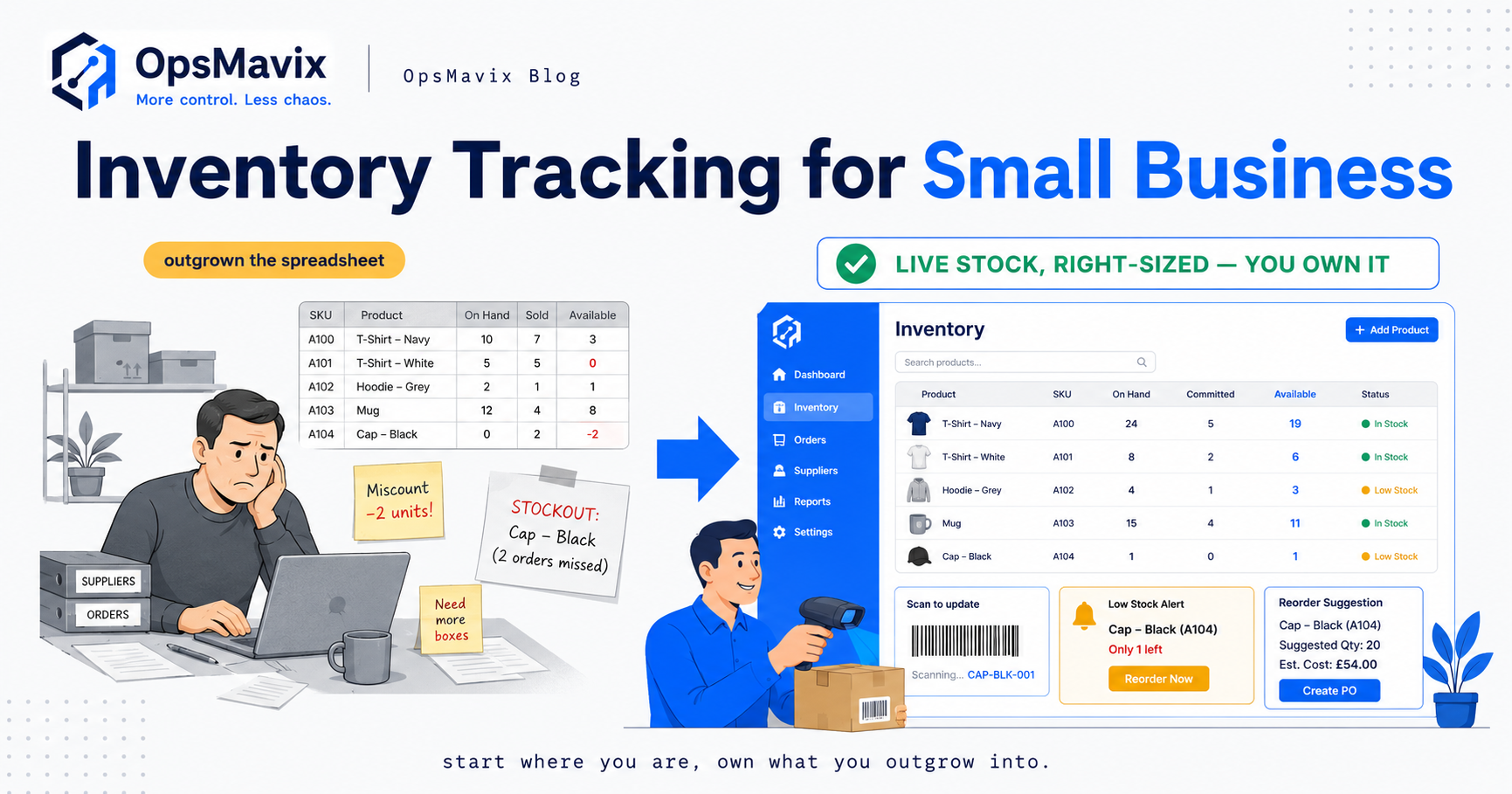
An inventory tracking system keeps a live count of everything you hold — what’s on the shelf, where it sits, what’s already promised to customers, and what needs reordering — so you can answer “how many do we have?” without walking to the stockroom or trusting a number someone typed in three days ago. For most small businesses it starts as a spreadsheet: a tab per supplier, a quantity column, a formula half-remembered from the last time it broke. And for a while, honestly, that’s fine.
This guide won’t pretend otherwise. For a small business, a spreadsheet or a cheap app is often the right first move, and buying more than you need is its own expensive mistake. So we’ll go in order: what an inventory tracking system does, when a spreadsheet is genuinely enough, the concrete signs you’ve outgrown it, and only then the three real routes out. No pressure to buy a build you don’t need.
Quick summary: A study led by Prof. Pak-Lok Poon found that 94% of spreadsheets used in business decision-making contain errors, according to Phys.org. That doesn’t mean drop your spreadsheet today — it means the moment your stock count actually matters to cash flow, “we’ll just keep it in the sheet” quietly stops being the safe option.
Contents
What an Inventory Tracking System Actually Does {#what-it-does}
Strip away the marketing and an inventory tracking system does a small number of jobs well. If a tool does these, it’s tracking your inventory. If not, it’s a filing cabinet with a login.
- Live stock counts. One quantity per item, updated the instant something is sold, received or returned — so the number on screen matches the number on the shelf, everywhere at once.
- Barcode and scanning. Scan an item in or out instead of typing SKUs by hand. This is where most accuracy actually comes from: a scan can’t fat-finger a quantity the way a keyboard can.
- Reorder points. A threshold per item that flags when you’re running low, ideally tuned to your real supplier lead times, so you reorder before you stock out rather than after a customer tells you.
- Locations. Where a thing physically is — a shelf, a bin, a second unit, a van. Once stock lives in more than one place, “we have 40” is useless without “and here’s where.”
- Movement history. A record of every change: who moved what, when, and why. When the count drifts (it will), you trace the movement instead of relitigating everyone’s memory — and you stop needing to shut down for a full manual stock-take to feel safe.
Notice what’s not on that list: demand forecasting AI, multi-warehouse wave picking, supplier EDI, financial consolidation. Those solve real problems for businesses that have them. For a small business, the honest question is “what’s the smallest set of the five above that makes my count trustworthy?” — not “what’s the most powerful platform I can find?”
When a Spreadsheet Is Genuinely Fine {#spreadsheet-fine}
Plenty of guides exist to scare you off spreadsheets by paragraph two. We won’t, because for a real slice of small businesses the spreadsheet is the correct tool. A spreadsheet (or a free/cheap inventory app) is genuinely fine when most of these are true:
- One person touches stock. No “which version is right?” question, because there’s only one hand on the count.
- You sell through one channel. A single shop, or a single website. Nothing else is reading the count in parallel and overselling behind your back.
- Low SKU count, low velocity. Few enough lines that you can eyeball them, moving slowly enough that a count updated at the end of the day is still true the next morning.
- A stockout is annoying, not expensive. If running out means “reorder next week” rather than a cancelled order, a lost customer or dead cash, the stakes don’t yet justify a system.
If that’s you, keep the spreadsheet. Make it tidy, back it up, and spend the software money somewhere it actually moves the needle. An inventory tracking system for small business solves a specific pain — and if you don’t have the pain yet, you don’t need the cure. The skill is knowing the moment that changes, which is the next section.
Signs You’ve Outgrown the Spreadsheet {#outgrown}
The spreadsheet never sends a warning. It keeps saying “fine” while the misses pile up. Here are the concrete signs it has quietly become the most expensive thing in your operation.
More than one person is updating the count
The instant two people edit the same figure, you have two versions of the truth and a daily argument about which is right. Shared documents don’t scale to shared work; shared systems do.
You sell in more than one place
A website plus a marketplace, or a shop plus a trade counter. Each channel reads its own copy of the count, so you sell the last unit twice and someone gets an apology email. That overselling gap is structural, not a matter of being more careful. A single live pool closes it — the core of any real inventory automation system, and doubly so online, where ecommerce inventory automation keeps the storefront honest in real time.
You reorder by guessing, and it costs you
When you can’t trust the count, every purchase order is a bet: over-buy and you create dead stock, under-buy and you stock out. This is where the money hides. Netstock’s benchmark found excess stock had grown to 38% of SMBs’ inventory, with 72% of SMBs facing unpredictable supplier delivery times (Netstock) — unpredictable lead times plus an untrustworthy count is exactly what buries cash on the shelf. If purchasing is your leak, see purchase order system for small business.
You do full stock-takes just to feel safe
If the only way to know what you hold is to stop trading and count everything by hand, the stock-take isn’t your system — it’s the tax you pay for not having one. Movement history exists so you reconcile continuously instead of catastrophically.
The count is simply, measurably wrong
Research cited by Unleashed found 58% of retail brands and D2C manufacturers run below 80% inventory accuracy (Unleashed). Below 80%, the count becomes a liability: you can’t trust it enough to act on, so you double-check everything, which is slower than having no count at all.
If one of these is true, watch it. If three or more are, the spreadsheet already costs you more than a system would — hidden inside cancelled orders, dead stock and your own weekends. That’s the honest trigger to move. Where you move to has three genuinely different answers.
The Three Real Routes: Spreadsheet vs App vs Owned {#comparison}
Once you accept the spreadsheet has to go, don’t jump straight to “custom build.” There are three real routes, and for many small businesses the middle one is right for years. Be honest about which pain you actually have.
1. Spreadsheets or a free app. Cheap, instant, no commitment. Right until you outgrow them, at which point they become the hidden cost above.
2. Off-the-shelf small-business inventory apps. A genuinely good middle ground and, for a lot of businesses, the correct next step — not a compromise. You get barcode scanning, reorder points, locations and multi-channel sync out of the box for a monthly fee, no build. The trade-offs are real but often acceptable: you rent rather than own, you bend your workflow to the app, the per-seat cost climbs as you grow, and your data lives in the vendor’s walls on the vendor’s roadmap. For a straightforward operation, that trade is fine, sometimes for good.
3. A right-sized owned system. The route most guides skip. Not for everyone, but the honest fit once you’ve genuinely outgrown the apps yet have no business buying an ERP. Here the app’s edges have become a ceiling: your bundle logic doesn’t fit, your wholesale flow needs three workarounds, the per-seat cost is now a serious line item, and an integration you depend on gets deprecated. A right-sized system is built around how you run, owned outright, and expandable only where you need it. It does the five core jobs properly and ignores the forty enterprise features you’ll never switch on.
| Factor | Spreadsheets / free app | Off-the-shelf small-business app | Right-sized owned system |
|---|---|---|---|
| Live single count | No — updated by hand, always lagging | Yes, within the app’s model | Yes, built to your exact model |
| Barcode / scanning | Rarely, or bolted on | Yes, standard | Yes, fitted to your workflow |
| Fits how you actually run | Only what you can rig manually | You bend to the app | The system bends to you |
| Multi-channel / locations | Manual, error-prone | Yes, often on higher tiers | Built in as you need it |
| Cost shape | “Free” but hides labour cost | Per-seat / per-tier, climbs as you grow | Defined build, then it’s yours |
| Data & control | Your file, fragile | In the vendor’s walls | Yours, on your terms |
| Ownership | You own a brittle document | You rent; vendor sets the roadmap | You own the system outright |
| Right for | One person, one channel, low stakes | Simple ops that fit the app’s shape | Outgrown apps, not ready for ERP |
The mistake to avoid at both ends: don’t buy a custom build when a £20-a-month app would do for years, and don’t keep paying climbing per-seat fees to bend your business around an app you’ve clearly outgrown. Match the route to the pain you have.
Integrations and Ownership {#integrations-ownership}
Whichever route you pick, two things decide whether you’re still happy in two years: what the system connects to, and who owns it.
Integrations. Inventory touches your sales channels, your accounting, your shipping and your purchasing. An off-the-shelf app gives you a fixed menu of integrations — great when your tools are on the menu, painful when they’re not, or when a connector you rely on gets deprecated and you have no say. A right-sized owned system connects to whatever you actually use, because it’s built to. If a lot of your movement is online, the storefront-to-stock link has to be real-time — the whole job of ecommerce inventory automation, and the integration most likely to embarrass you if it lags.
Ownership. When you rent, you’re a tenant in your own operation: the vendor sets the price, the roadmap and, if it comes to it, the shutdown date, and your data lives in their walls. That’s a reasonable trade for a small, simple operation. But when stock accuracy is the difference between profit and apology, and the app’s monthly cost has climbed past what a build would have cost outright, ownership stops being abstract. An owned system can’t be discontinued out from under you, its data is yours, and it changes when your business changes. That leverage is the real reason to own — the same logic behind treating inventory automation as something you own rather than rent indefinitely.
A Worked Example: Marsh Lane Supplies {#worked-example}
An illustrative example based on the patterns above — figures for illustration only, not a real client.
The business. Marsh Lane Supplies is a Midlands janitorial and catering-supplies distributor turning over roughly £1.1 million a year, selling through its own website, one marketplace, and a phone-based trade book. Three people touch stock between packing orders and calls.
Why the app was the right first move. When they first outgrew the spreadsheet, they moved to an off-the-shelf app at about £45/month — the correct call. It gave them barcode scanning, reorder alerts and website sync overnight, no build cost. For two years it did its job.
Where the app hit its ceiling. Growth changed the maths. Per-seat pricing pushed the app to roughly £220/month across their users and tier — about £2,640 a year, climbing. Worse, it couldn’t model their trade workflow: phone orders keyed in hours later meant the website oversold in the gap, and their bundle SKUs (a six-component cleaning kit) needed a manual workaround every time. They were bending a growing business around an app’s fixed shape.
The over-buy they nearly made. A consultant pitched a full ERP — a five-figure implementation plus per-seat licences, most modules irrelevant to an 11-person distributor. It would have buried a real problem inside a platform they couldn’t run without paying someone else.
The right-sized fit. Instead: an owned system with one live count across website, marketplace and trade; committed-versus-available so phone and web stopped fighting; automatic bundle logic; reorder points tuned to their real lead times. Nothing they wouldn’t use. The overselling gap closed because every channel read one pool, and the climbing rent stopped — they owned the result. The point wasn’t “custom software.” It was a count that told the truth, in a system that fit how they ran and wouldn’t cost more every time they hired.
FAQ {#faq}
What is an inventory tracking system for a small business?
A tool that keeps a live count of what you hold, where it is and what needs reordering — updated as sales, deliveries and returns happen, usually with barcode scanning for accuracy. The goal isn’t maximum features; it’s a count you can trust without stopping to do a manual stock-take.
Do I really need one, or is a spreadsheet enough?
If one person touches stock, you sell through one channel, your SKU count is low and a stockout is merely annoying, a spreadsheet or cheap app is genuinely fine — moving early just wastes money. You need a real system when more than one person or channel touches the count, when you reorder by guessing, or when you’re doing full stock-takes to feel safe.
What’s the difference between a cheap app and a right-sized owned system?
An off-the-shelf app is a great, low-cost middle ground: you rent it, bend your workflow to it, and the per-seat cost climbs as you grow, with your data in the vendor’s walls. A right-sized owned system is built around how you run and owned outright — the honest fit only once you’ve outgrown the apps but have no business buying an ERP. Most small businesses should start with the app.
How much does an inventory tracking system cost?
Cheap apps start around £20–£50/month and climb with users and tiers, so the real figure is what it costs at your future size, not today. A right-sized owned system is a defined build cost, after which you own it with no per-seat rent multiplying as you hire. The cheapest-looking option, the spreadsheet, usually carries the highest hidden cost in labour, stockouts and dead stock.
Should a small business buy an ERP instead?
Usually not. ERP suits businesses with the scale and process maturity to use most of it. For a small business it typically means a long, costly implementation and licences for features you’ll never switch on. The honest middle ground is a good off-the-shelf app or a right-sized system that does the essentials and ignores the rest.
How OpsMavix Can Help {#how-opsmavix-can-help}
OpsMavix builds right-sized operations systems for UK businesses that have outgrown spreadsheets and off-the-shelf apps but aren’t ready — and shouldn’t have to be — for a full ERP. We’ll also tell you plainly when you’re not there yet: if a £20-a-month app would serve you for years, that’s the advice you’ll get. We don’t sell builds to businesses that don’t need them.
When you genuinely have outgrown the apps, we map how your stock actually moves, find where it leaks time and money, and build a system that makes your count tell the truth: one live figure, barcode-accurate, committed-versus-available, reorder logic tuned to your suppliers, and a workflow that matches how you operate — owned outright, not rented on a meter that climbs with every hire. For the stock-control side, see our guides on a stock management system for small business and a warehouse management system for small business. The first step is simply seeing where the leaks are.
Sources {#sources}
- Phys.org — study led by Prof. Pak-Lok Poon finding 94% of business decision-making spreadsheets contain errors: https://phys.org/news/2024-08-business-spreadsheets-critical-errors.html
- Netstock — 2024 Inventory Management Benchmark Report: excess stock at 38% of SMBs’ inventory and 72% of SMBs facing unpredictable supplier delivery times: https://www.netstock.com/research/inventory-management-report/
- Unleashed Software — inventory management statistics: 58% of retail brands and D2C manufacturers run below 80% inventory accuracy: https://www.unleashedsoftware.com/blog/inventory-management-statistics/