
The Best Cloud Based Inventory Management System: A Buyer's Guide
The best cloud based inventory management system is the one that keeps a single, honest stock count live across every device, location and sales channel you run. This guide compares off-the-shelf cloud apps, full cloud ERP and a right-sized owned system for businesses too messy for spreadsheets, not ready for a full ERP.
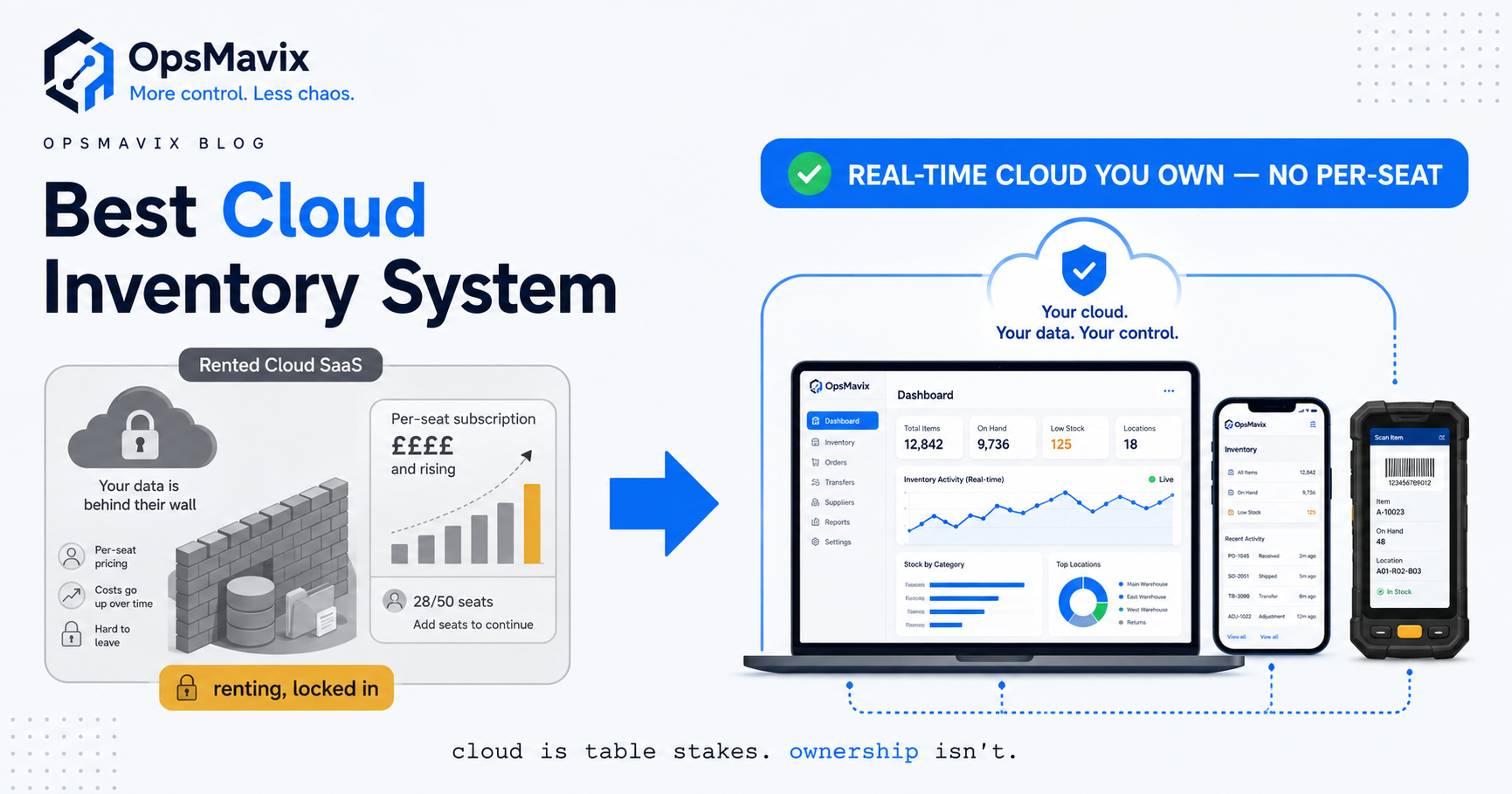
A cloud-based inventory management system is inventory software that lives on the internet rather than on one computer in the back office, so the stock number you’re looking at is the same number everyone else is looking at, updated in real time, from a phone in the warehouse or a laptop at home. That’s the promise. The reality is that “cloud-based” has become a tick-box every vendor claims, which makes it almost useless as a way to choose. Cloud is the floor now, not the ceiling. The real decision sits underneath it.
Most people don’t go shopping for one of these systems out of curiosity. They go because a specific thing broke. The spreadsheet on one machine got out of date the moment two people edited copies of it. The warehouse count and the office count stopped agreeing. Someone sold stock online that had gone out the door on a trade order that morning. You want the counts to just be right, everywhere, all the time, and a file on a hard drive is never going to do that. So you start comparing tools, you meet Cin7 and Unleashed and inFlow and Sortly and Katana, and within an hour every one of them sounds identical. This guide is about seeing past that.
Quick summary: Poor stock planning costs UK retailers an estimated £15 billion a year, with 46% hit by stockouts during peak trading and 65% of shoppers admitting they’ve abandoned a purchase when the product wasn’t available, according to EcommerceNews UK. Getting the count right in real time isn’t a nice-to-have. It’s one of the largest controllable costs most product businesses have.
Contents
What a Cloud-Based Inventory System Actually Does {#what-it-does}
Strip away the branding and every one of these tools is trying to do the same small set of jobs well. If a system nails these, it earns its place. If it’s fuzzy on any of them, no amount of “cloud-native, AI-powered” copy will save you.
- One live count per SKU. A single master quantity that every device and channel reads from. Sell a unit anywhere and the number drops everywhere at once, not on the next sync or the next manual update.
- Access from any device, anywhere. The warehouse checks stock on a phone, the office on a laptop, the trade counter on a tablet, and they all see the same figure. No emailing spreadsheets around, no “which version is current?”
- Multi-location awareness. If you hold stock in more than one place — a warehouse plus a shop, or a 3PL plus your own unit — the system knows where each unit physically sits and can move or reserve it without a phone call.
- Reorder triggers off the real number. Minimum levels per product that flag or draft a purchase order when stock dips, so reordering comes from the true count instead of a gut feel or a monthly panic.
- Reconciled stocktakes. Counts that compare what you should have to what you counted and surface the variance, instead of just overwriting the number and quietly hiding the loss.
- Integrations to everything else. Live links to your sales channels, your accounting, and your suppliers, so the count stays honest without anyone keying the same thing in twice.
None of this needs a hundred-module platform. It needs the specific handful of capabilities your business actually runs on, done properly and kept in sync. That last part — kept in sync, in real time, everywhere — is what “cloud-based” is supposed to buy you, and it’s where the marketing and the reality often part ways.
What “Cloud-Based” Should Really Mean {#what-cloud-means}
Here’s the trap. Every vendor says “cloud.” What almost none of them make you ask is what kind, and the differences are the whole ballgame. When you’re comparing tools, push on these five things and the field separates fast.
Real-time, not near-time. Some “cloud” apps still batch updates. A sale syncs every fifteen minutes, or on a schedule, or when someone hits refresh. In that lag window your numbers are fiction, which is exactly what oversells and cancelled orders are made of. Ask specifically: when a unit sells on channel A, how many seconds until channel B knows? “It syncs periodically” is near-time dressed up as real-time.
Genuinely multi-device. True cloud means any authorised person, on any device, sees the current state and can act on it. Watch for tools where the “cloud” is really a web dashboard bolted onto a desktop app, or where mobile is a stripped-down afterthought that can’t count stock or receive a delivery.
Multi-location as a first-class idea. A lot of apps treat one warehouse as the default and bolt on extra locations awkwardly. If you run, or will run, more than one stock location, that has to be modelled properly from the start.
Integrations that fit your stack. Cloud only pays off if it connects to the tools you already use. A system that syncs beautifully with Shopify but not with your accounting, or with your wholesale channel but not your marketplace, just moves the re-keying somewhere else.
Where your data actually lives. The one nobody puts on the comparison page. “Cloud-based” almost always means their cloud. Your entire operational history sits inside a vendor’s platform, on their terms, exportable only as far as they allow. That’s fine right up until it isn’t.
Why does any of this matter so much? Because the entire point of moving to the cloud is an accurate count, and accuracy is exactly what most operations don’t have. The average retail store’s inventory accuracy is around 65%, according to the Auburn University RFID Lab — meaning roughly a third of stock records are wrong at any given moment. A real-time, single-source cloud system is the fix for that. A batchy, half-mobile, single-location app that calls itself cloud is not. For the deeper mechanics of keeping one count honest across several shop windows, see multi-channel inventory management.
The Three Real Options You’re Choosing Between {#comparison}
When you get serious, there are three honest paths. The market loudly sells the first two and stays quiet about the third.
Option one: an off-the-shelf cloud inventory app. Cin7, Unleashed, inFlow, Sortly, Katana and the rest. These are genuinely good products, and for a lot of businesses they’re exactly the right answer: quick to start, cheap to trial, and they cover the common cases well. Be fair to this option — if your process is fairly standard and one of these fits it, use it and don’t overthink it. The catch is threefold. You rent it, so the cost never ends. You bend to its assumptions, because it was built for the average of thousands of businesses and not for yours. And the pricing is per-seat or per-tier, which means it quietly climbs as you succeed: more users, more orders, more locations, higher bill, forever.
Option two: a full cloud ERP with an inventory module. NetSuite, Microsoft Dynamics, the big platforms. These can genuinely do everything, and that’s precisely the problem for most businesses reading this. You bend your entire operation to the platform’s assumptions, pay per seat and per module indefinitely, wait months to go live behind a consultant, and use a fraction of what you’re renting. For a large, complex company it can be right. For a business that mainly needs an accurate stock count across a few channels, it’s a supertanker hired to cross a river.
Option three: a right-sized system you own. A cloud inventory system built around how your business actually runs, hosted on your own cloud, that you own outright and extend as you grow. Nobody’s incentivised to pitch you this, because there’s no monthly subscription in it for them. But it’s often the correct answer for a business that’s outgrown the cheap app and has no business renting an ERP.
| Factor | Spreadsheets | Off-the-shelf cloud app / cloud ERP | Right-sized owned system |
|---|---|---|---|
| Fit to your business | Manual, breaks past one user | You bend to the tool’s assumptions | Built around how you actually run |
| Real-time sync | None; a file on a drive | Usually, if your setup is standard | Real-time, two-way, across every channel |
| Multi-location | Painful, error-prone | Supported but generic | Modelled to your exact locations |
| Odd processes (bundles, trade, kitting) | Handled by hand | Often awkward or unsupported | First-class if they matter to you |
| Cost model | Cheap but leaks money | Per-seat / per-tier, climbs with success | Build once, then you own it |
| Time to value | Immediate but fragile | Fast (app) to months (ERP) | Scoped to the leak you actually have |
| Ceiling | Hit at user two | Walls where it assumed a different business | Extend it, because you own the code |
| Data ownership | Yours, but scattered and fragile | Lives in the vendor’s cloud | Your database, your cloud, your rules |
The honest read: there’s no universally best cloud based inventory management system, only a right-sized one for your business. Start with the cheapest thing that closes your actual leak. If an off-the-shelf app carries you, use it. The moment you find yourself paying for capacity you don’t use, or fighting the tool to do something basic to how you trade, the real question stops being “which app?” and becomes “do I want to rent a business I could own?”
Integrations and Data Ownership: Rent vs Own {#ownership}
An inventory system never lives alone. It has to talk to your sales channels, your accounting, your suppliers, and often a warehouse or 3PL. How those connections are built, and who holds the data behind them, decides whether the system serves you or slowly traps you.
With an off-the-shelf platform, the integrations exist only where the vendor decided they should, work only the way the vendor modelled them, and can change or break on the vendor’s schedule. Your operational data sits inside their walls. The day you want to do something they didn’t anticipate — a new channel, a new pricing tier, a bundle structure the market hasn’t invented yet — you file a feature request and wait, or you contort your process to fit what’s already there. You’re a tenant in your own operation, and the rent is due every month whether or not you’re getting more for it.
An owned system inverts that. The integrations are built to how your specific tools actually behave, the data sits in your database on your own cloud, and when your business changes you extend the system instead of waiting on a roadmap. This is the entire argument for a right-sized owned build. Not that it does more on day one — a mature app will often do more on day one. It’s that the app becomes the wall you hit, and the owned system doesn’t. For the automation layer that keeps stock correcting itself across all those connected tools, see inventory automation system, and for the order side of the same machine on the ecommerce front, ecommerce inventory automation.
Ownership isn’t ideology, and it isn’t about distrust of vendors. It’s the difference between a system that grows with the business and a subscription that quietly decides how big your business is allowed to get before the pricing tier stings.
A Worked Example: The £7,000 Subscription Ceiling {#worked-example}
Numbers make it concrete. The figures below are illustrative — not a claim about a specific client — but the shape is one growing businesses recognise on sight.
The business. A UK homeware wholesaler-slash-online-retailer. Turnover around £900,000 a year, split roughly 60% trade and 40% direct online. Around 2,400 SKUs across a warehouse and a small overflow unit. They started on a spreadsheet, moved to a well-known cloud inventory app two years ago, and it genuinely helped.
The pain. Success became the problem. As order volume and user count grew, the app pushed them up into a higher pricing tier, and their all-in subscription now runs close to £7,000 a year and climbs every renewal. Worse, two things the business actually runs on don’t fit the tool: their trade pricing structure is awkward to model, and their kitted bundles need a manual workaround every time. The overflow unit is faked as a second “warehouse” the app doesn’t really understand. Their entire trading history lives in the vendor’s cloud, and a rough export is the most they can get out.
The over-buy temptation. A consultant suggests a full cloud ERP to “future-proof” everything — north of £2,000 a month plus a five-figure implementation, months to roll out, retraining for every user, and a platform they’d use maybe a fifth of. It would solve the fit problems by replacing everything, at the cost of renting a system far larger than the business, forever.
The right-sized fix. Instead: a cloud inventory system built to their exact model — one live count per SKU across both locations, real-time sync to their online store and accounting, trade pricing and kitted bundles handled as first-class features rather than workarounds, reorder triggers off the true number, and reconciled stocktakes. Hosted on their own cloud, owned outright, extended as they add channels.
The outcome. The recurring subscription that only ever grew is replaced by a system they own. The trade-pricing and bundle workarounds disappear, giving staff back hours a week. The count is finally accurate across both units, so overselling and cancelled online orders stop, and reorders come off a number they can trust. Set against the roughly £15 billion a year UK businesses lose to poor stock planning (EcommerceNews UK), a business this size can reasonably carry several thousand pounds a year in a climbing subscription plus lost sales, dead cash, and wasted admin — recurring every year until the system fits. The owned build turns a growing rent into a one-off you own. For the small-business end of this same decision, see stock management system for small business.
FAQ {#faq}
What makes a cloud-based inventory system different from desktop software?
A cloud system lives on the internet, so the count updates in real time and everyone sees the same number from any device, anywhere — warehouse, office, or home. Desktop software lives on one machine, so the data is only current where that machine is and drifts the moment someone works off a copy. The practical difference is a single source of truth versus several versions that slowly disagree. Just be careful: “cloud” alone doesn’t guarantee real-time. Some apps still sync on a schedule, which reintroduces the very lag you were trying to escape.
Is an off-the-shelf cloud app good enough, or do I need something custom?
For many businesses, an off-the-shelf app like Cin7, Unleashed, inFlow, Sortly or Katana is genuinely good enough, and you shouldn’t overspend to look sophisticated. The signal that you’ve outgrown one is specificity: your pricing, bundles, or locations need constant workarounds, or the per-seat/per-tier bill is climbing faster than the value you’re getting. At that point a right-sized owned system usually costs less over time and fits how you actually trade.
Do I need a full cloud ERP?
For most growing UK product businesses, no. A cloud ERP spans finance, HR, procurement and much more; if your real problem is that your stock count isn’t accurate and live across your channels, you need connected inventory, which is a fraction of what an ERP does. Many businesses buy the whole platform, use a sliver, and pay for all of it every month. A right-sized system covering your specific channels is usually cheaper, faster to go live, and shaped to how you really run.
Who owns my data with a cloud inventory system?
With almost every off-the-shelf cloud app, the vendor does. Your operational history sits on their platform and you can only get it out as far as their export allows. That’s fine for many businesses, but it constrains you if you ever want to switch, integrate something unusual, or build on top of your own data. A right-sized owned system flips this: the data sits in your database on your own cloud, so you extend and connect it on your terms rather than the vendor’s.
How much does a cloud inventory system cost?
Off-the-shelf apps run as a monthly subscription that scales with users, orders and locations, so the true cost is whatever tier your growth pushes you into over the years. Cloud ERP adds a large implementation cost on top of higher recurring fees. A right-sized owned build is a larger one-off, after which you own it and there’s no per-seat rent. Which is cheapest depends on your scale and how well the cheap option fits — exactly what an audit is for.
How OpsMavix Can Help {#how-opsmavix-can-help}
OpsMavix builds right-sized, owned cloud inventory systems for growing UK businesses — the ones too messy for spreadsheets and no longer served by a basic app, but with no business renting a full ERP they’d use a fraction of. Instead of selling you a bloated platform or another subscription that climbs with your success, we map how your stock actually moves — where counts drift, where channels disagree, where a cheap app’s assumptions force daily workarounds, where you’re paying for capacity you don’t use — and build the specific system that closes those leaks: one live count across every device and location, real-time sync to your channels and accounting, built around your exact processes, hosted on your own cloud, owned outright by you and extended as you grow. It’s the practical layer between an off-the-shelf app that’s run out of road and an ERP that’s overkill. If your inventory is costing you climbing subscriptions, cancelled orders, dead cash and losses you can’t quite see, start by finding out exactly where it leaks: Book a Free Operations Leak Audit
Sources {#sources}
- EcommerceNews UK — poor stock planning costs UK retailers £15bn a year; 46% hit by peak-trading stockouts; 65% of shoppers abandon on unavailable stock: https://ecommercenews.uk/story/poor-stock-planning-costs-uk-retailers-gbp-15-billion-a-year
- CYBRA, citing the Auburn University RFID Lab — the average retail store’s inventory accuracy is about 65%: https://cybra.com/average-retailer-inventory-accuracy/