
Implementing an ERP System for the Construction Industry: Rollout Guide & Pitfalls
Most construction ERP rollouts stall on data, adoption and scope, not software. This guide walks through a phased rollout, migrating off spreadsheets, getting site teams and subcontractors on board, and a realistic timeline. It also shows how a right-sized owned system de-risks the whole thing versus a heavy off-the-shelf ERP.
Rolling out an ERP system for the construction industry succeeds or fails on the boring parts: clean data, a phased go-live, and site teams who actually open the thing. The software is rarely the problem. Buy the biggest, best-reviewed platform on the market and you can still end up with a half-used login, a finance team back in Excel, and a six-figure bill for a system nobody trusts. This guide covers how to roll out a construction ERP without that happening.
Quick summary: In Panorama Consulting’s 2024 ERP Report, only 55% of projects finished on budget and 58% on time, with data issues, resource constraints and expanded scope the top reasons for overruns (Panorama Consulting). Construction is one of the least-digitised sectors in the economy, so rollout discipline matters more here than almost anywhere (McKinsey Global Institute).
Contents
- Why construction ERP rollouts fail more often than they succeed
- Start with the process, not the software
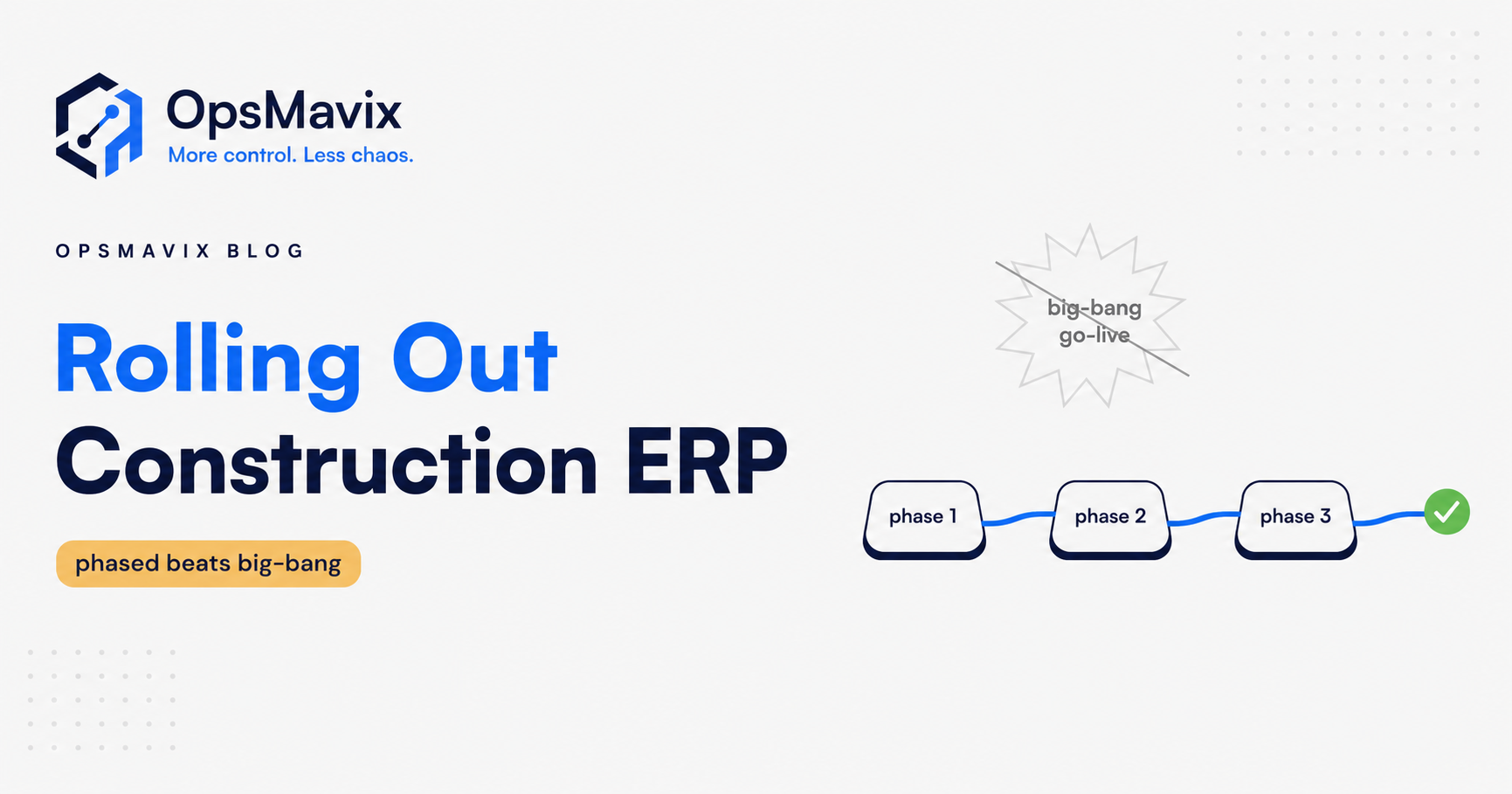
- Phased rollout beats a big-bang go-live
- A realistic construction ERP implementation timeline
- Migrating off spreadsheets: the data problem
- Getting site teams and subcontractors to actually use it
- The common failure modes (and how to dodge them)
- Worked example: rolling out a system in a groundworks firm
- How a right-sized owned system de-risks the rollout
Why construction ERP rollouts fail more often than they succeed
The industry-wide numbers are sobering. In Panorama Consulting’s 2024 ERP Report, drawn from 131 organisations, 45% of projects came in over budget or under-delivered on it, and 42% ran past their expected timeline. The median project cost was around £360,000 (converted from US-reported figures, approximate) and the median duration 15.5 months (Panorama Consulting). Those are cross-industry figures, not construction-specific, but they set the baseline: even well-resourced firms struggle to land these projects.
Construction then stacks its own difficulty on top. Work is distributed across sites, half your labour is subcontracted, margins are thin, and record-keeping has historically lived in spreadsheets, WhatsApp and someone’s van. McKinsey rates construction as one of the least-digitised sectors in the economy, with labour-productivity growth of roughly 1% a year against 2.8% for the wider economy over two decades (McKinsey Global Institute). Low starting maturity means bigger behaviour change, and bigger behaviour change means more ways for a rollout to stall.
The pattern is consistent: firms treat an ERP as a purchase rather than a change programme, go live too fast, migrate messy data, and never name a single owner. Get those four right and you are already ahead of most of the market. For the wider case on what a construction ERP is and what it should cover, start with our construction ERP software guide.
Start with the process, not the software
The most expensive mistake is choosing the platform first. Panorama’s data shows almost half of organisations improved most of their business processes during their project rather than just a few, which is the right instinct, but too many leave it until after go-live when it is far more painful to change.
Before you shortlist any product, write down how work actually flows today: how a job is estimated, how it becomes a live project, how variations are logged, how subcontractor payments and CIS deductions are handled, how costs are captured against a job, and how you know a project is profitable before it finishes. Most firms discover the same process is done three different ways by three different people. That inconsistency is the real problem an ERP system for the construction industry is meant to fix, and no amount of software solves a process nobody has agreed on.
This is also where you decide what you genuinely need on day one versus what is a nice-to-have. Ruthlessly cut the wish list. Every module you add is more data to migrate, more training, and more surface area for the rollout to fail. If you want a deeper view on where a lean operational system diverges from a full ERP, see operational systems vs ERP.
Phased rollout beats a big-bang go-live
A big-bang go-live, everything switched on across every site and function on one date, is the single riskiest way to do this. Panorama found fewer than one in five organisations chose it, and describes it as too risky for most mid-sized firms; the clear preference was a hybrid or phased approach (Panorama Consulting). For construction that is doubly true, because a bad go-live doesn’t just annoy office staff, it can stop you paying subcontractors or invoicing a client on time.
Phase it instead. A sensible order:
- Core financials and job costing first. This is the spine. Get one source of truth for costs against jobs before anything else.
- Procurement and subcontractor management next. Purchase orders, subbie payments, CIS deductions and retentions.
- Site-level tools last. Daily logs, timesheets, plant, snagging, and mobile capture, once the office is stable.
Each phase gets its own mini go-live, its own training, and its own sign-off before the next starts. You run the old spreadsheet in parallel for a short, defined window, then retire it deliberately. Never let parallel-running drift for months, or people simply keep using the thing they trust and the new system quietly dies.
A realistic construction ERP implementation timeline
Timelines slip when they are set by hope. Panorama’s median was 15.5 months across all industries; a right-sized construction rollout for a small-to-mid firm can be considerably tighter if scope is disciplined. The table below is a realistic shape for a phased rollout at a 20–80 person contractor.
| Phase | Weeks | What happens |
|---|---|---|
| Discovery & process mapping | 1–3 | Map current workflows, agree the target process, cut the wish list, name the owner |
| Design & data audit | 4–6 | Configure the core, audit and clean spreadsheet data, define the migration plan |
| Phase 1 build & migrate (financials/job costing) | 7–11 | Build core, migrate cleaned data, train finance, run in parallel |
| Phase 1 go-live & stabilise | 12–14 | Cut over financials, fix issues, retire the old spreadsheet |
| Phase 2 (procurement & subcontractors) | 15–19 | Add POs, subbie payments, CIS, retentions; train buyers and admins |
| Phase 3 (site tools & mobile) | 20–26 | Roll out timesheets, daily logs, snagging to site teams and subbies |
| Review & handover | 27–28 | Adoption check, tidy reporting, document, plan next iteration |
Treat the weeks as a guide, not a promise. The variable that moves it most is data quality, covered next.
Migrating off spreadsheets: the data problem
Data is where rollouts quietly bleed. In Panorama’s report, data issues were a top-three contributor to both budget overruns and timeline overruns (Panorama Consulting). Construction data is especially messy: supplier lists with duplicate entries, jobs coded three different ways, subcontractor records missing UTRs or verification numbers, and cost data that never reconciled in the first place.
The rule is simple. Do not migrate rubbish. If you pour dirty spreadsheet data into a new system, you get a more expensive version of the same mess, and worse, everyone concludes the new system is wrong when actually the data was always wrong.
A workable approach:
- Audit first. List every spreadsheet and source that feeds the business. You will find more than you expect.
- Clean at source. Deduplicate suppliers and subcontractors, standardise job codes, fix or drop incomplete records. This is unglamorous and worth every hour.
- Migrate a subset, verify, then scale. Load one project or one month, reconcile it against the old numbers to the penny, and only then migrate the rest.
- Freeze the source. Once migrated, close the old spreadsheet for edits so you don’t end up with two live versions of the truth.
Building a single trusted record is the whole point; our guide on how to build one source of truth for your business goes deeper on the mechanics.
Getting site teams and subcontractors to actually use it
You can have perfect data and a perfect timeline and still fail here. Adoption is the make-or-break, and it is where construction is hardest, because the people who most need to enter data, site teams and subcontractors, are the least likely to sit at a desk.
Panorama found that only a small minority of organisations put an intense focus on change management, and that smaller firms were the most likely to skip it, usually on the assumption that resistance can be handled ad hoc. In their experience, that rarely works (Panorama Consulting). CITB’s research into construction’s digital future reaches a similar conclusion from the other direction: adoption has to be driven from the top, and the skills that matter most are broad problem-solving and leadership, not knowing which button to press (CITB).
Practical moves that actually shift adoption:
- Make the mobile experience genuinely simple. If a site foreman needs more than a minute to log a timesheet or a delivery on their phone, they won’t. Design for gloves, glare and no signal.
- Give people a reason, not a mandate. “Log your hours here and you get paid on time” beats “head office wants it.”
- Bring subcontractors in early. If subbie payments, CIS deductions and retentions run through the system, subcontractors are stakeholders. Show them it gets them paid faster and verified correctly.
- Name local champions. One respected person per site who knows the system is worth more than a glossy training deck.
- Kill the old channel. As long as WhatsApp and the paper form still work, the new system is optional. Retire the alternatives on a set date.
The common failure modes (and how to dodge them)
Almost every failed rollout maps to one of these:
- Scope creep. Panorama lists expanded scope among the top reasons for both budget and timeline overruns. Fix scope in writing, phase everything else into “later,” and make additions a deliberate decision, not a drift.
- Big-bang go-live. Covered above. Phase it. A slower, boring rollout that lands beats a fast one that collapses.
- Poor data. The number-one silent killer. Clean before you migrate, verify a subset, freeze the source.
- No single owner. If nobody’s job depends on the rollout succeeding, it won’t. Name one accountable owner internally with the authority to make decisions and hold the timeline.
- Underestimating the effort. Resource constraints were the single most common cause of timeline overruns in Panorama’s data. Budget real internal time, not evenings and goodwill.
- Buying more than you need. A heavy platform bought to impress leaves you configuring modules you’ll never use. Right-size it.
Worked example: rolling out a system in a groundworks firm
A 45-person groundworks contractor running six live sites, £6m turnover, everything in spreadsheets and a legacy accounts package. Estimating lived in one workbook, job costing in another, subcontractor payments in a third, and nobody could say which jobs were actually making money until the final account.
What they did. They resisted the temptation to buy a big-name construction ERP and instead scoped a right-sized owned system around three things they agreed mattered: job costing, subcontractor and CIS management, and simple site timesheets. Wish-list items, plant hire tracking, an equipment maintenance module, a client portal, were parked for a later phase.
Weeks 1–6. Process mapping exposed that job codes were inconsistent across the three workbooks, so the same cost could appear under two jobs. They standardised the coding and cleaned the supplier and subcontractor lists, removing 40-odd duplicates and chasing missing UTRs.
Weeks 7–14. They migrated one completed project first, reconciled it against the old numbers, fixed a mapping error, then migrated the rest. Finance went live on job costing and ran the spreadsheet in parallel for three weeks before retiring it.
Weeks 15–26. Procurement and subcontractor payments came next, with CIS deductions and retentions handled in-system, which meant subbies got paid faster and verified cleanly. Site timesheets went last, on a stripped-back mobile form a foreman could complete in under a minute.
Result. No big-bang, no six-figure surprise. By week 28 the owner could see live cost-against-value on every job and knew a project’s margin before the final account, not after. The point wasn’t the software; it was the sequence and the discipline. That live cost-and-margin view is exactly what an operations dashboard is built to give you.
How a right-sized owned system de-risks the rollout
A heavy off-the-shelf ERP asks you to bend your business to its pre-configured processes, licence modules you may never touch, and swallow a longer, riskier implementation, and if the vendor changes their pricing or roadmap, you’re along for the ride. A right-sized owned system inverts that. It is built around the handful of processes that actually matter to your firm, so there is less to configure, less to migrate, less to train, and far less to go wrong at go-live.
Owning the system also removes the two biggest rollout risks. First, scope: because it’s built to a fixed, agreed scope, creep is a decision rather than a default. Second, adoption: because it’s shaped around how your teams already work rather than a generic template, people fight it less. You’re not paying to switch on features you’ll never use, and you’re not exposed to per-seat licence costs that punish you for growing.
This is the difference between an operational system and a full ERP, and it’s why the owned route often lands where the off-the-shelf one stalls. For the cost comparison specifically, our breakdowns of Odoo implementation cost and Odoo vs custom software are a useful reality check before you commit.
FAQ
How long does it take to implement an ERP system in a construction firm?
Panorama’s cross-industry median was 15.5 months, but a right-sized, phased rollout for a small-to-mid contractor can land in roughly six to seven months if scope is disciplined and data is clean. The single biggest variable is data quality, not software.
Should we do a phased rollout or go live all at once?
Phased, almost always. Big-bang go-lives are the riskiest approach and fewer than one in five firms in Panorama’s data chose them. Start with financials and job costing, then procurement and subcontractors, then site tools.
Why do so many construction ERP projects fail?
The recurring causes are scope creep, big-bang go-lives, poor data migration, and no single accountable owner. Software choice is rarely the real reason. Construction’s low digital starting point makes disciplined change management even more important.
How do we handle CIS in a new system?
Any system you roll out should handle Construction Industry Scheme deductions and subcontractor verification, since contractors must deduct money from subcontractor payments and file monthly returns to HMRC (GOV.UK). Building CIS into the procurement phase gives subcontractors a direct reason to adopt the system.
How do we get site teams and subcontractors to actually use it?
Make the mobile experience genuinely simple, tie usage to something they care about (getting paid on time), name local champions, bring subbies in early, and retire the old channels on a set date so the new system isn’t optional.
How OpsMavix Can Help
We build right-sized, owned operations systems for construction firms that are too messy for spreadsheets but not ready for, or not well served by, a heavy off-the-shelf ERP. We start with your actual processes, scope tightly around job costing, subcontractor and CIS management, and site capture, migrate your data cleanly, and roll it out in phases so nothing breaks at go-live. You own the system, there are no per-seat surprises, and we back delivery with a delivery guarantee. If you want to see where your current setup is leaking time and margin before you commit to anything, Book a Free Operations Leak Audit.