
ERP Systems for Construction: A Buyer's Map to the Options
There is no single 'construction ERP' — there are several very different kinds, and picking the wrong category costs more than picking the wrong vendor inside it. This is a buyer's map: the deployment models, the suite-versus-modular split, and how to match a type to your firm.
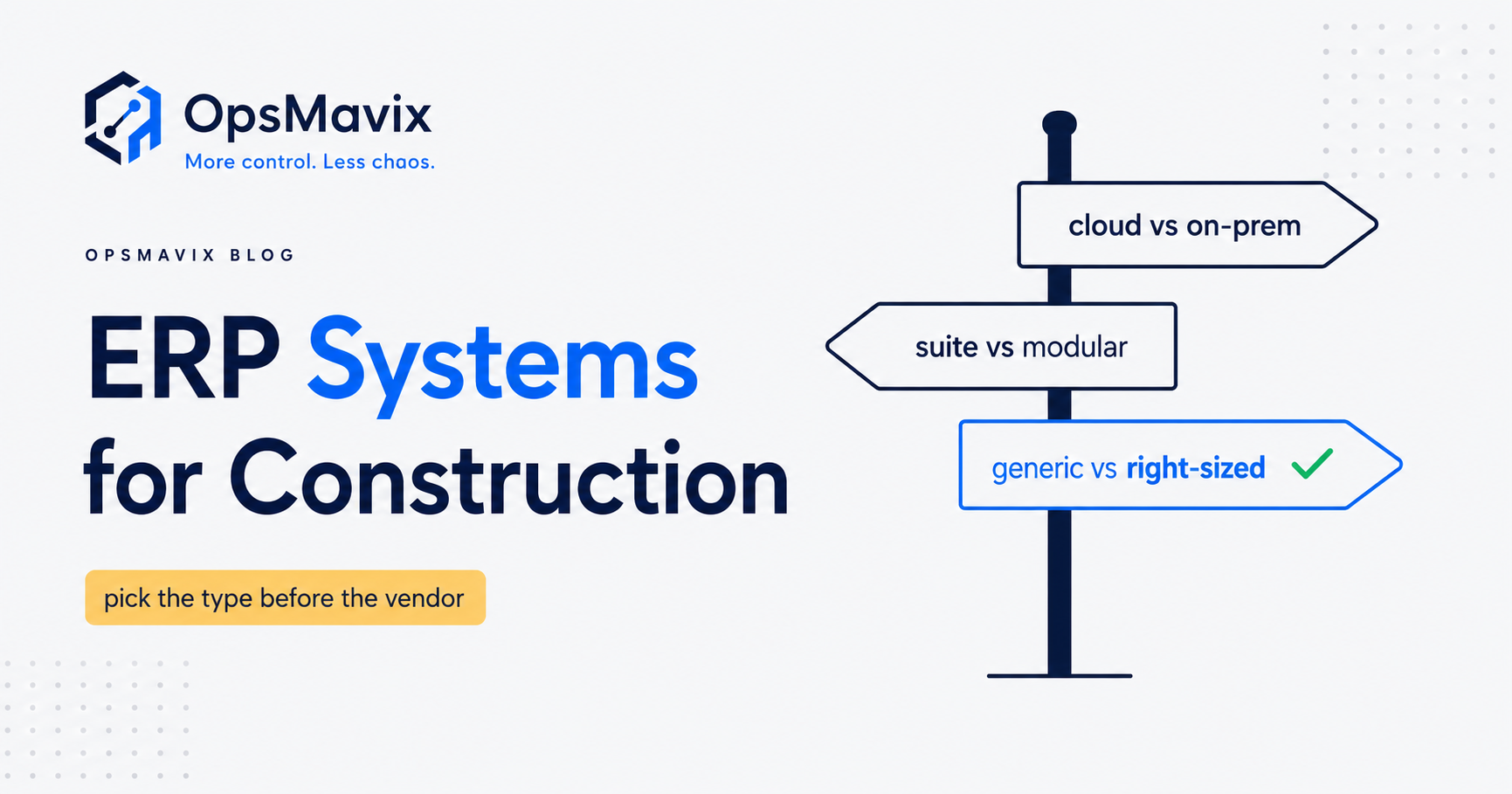
The main types of ERP systems for construction split along three axes: how they are hosted (cloud vs on-premise), how they are packaged (an all-in-one suite vs a set of best-of-breed modules), and how construction-aware they are (a generic ERP with a construction bolt-on, a purpose-built construction ERP, or a right-sized system built around your actual workflow). Get the category right and the vendor choice becomes easy; get it wrong and no amount of implementation budget saves you.
Quick summary: Cloud deployments typically go live in three to six months versus six to twelve for on-premise, and shift you from a large capital outlay to a predictable subscription, while on-premise keeps control and customisation in your hands (The Access Group). The bigger decision, though, is whether you need a full ERP at all — many construction SMBs are drowning in features they never use when a tighter, owned system would fix the actual leak (CrossCountry Consulting).
Contents
- Why “construction ERP” is not one thing
- Axis 1: cloud vs on-premise
- Axis 2: all-in-one suite vs best-of-breed modular
- Axis 3: generic ERP vs construction-specific vs right-sized custom
- The comparison table
- Decision criteria that actually matter
- A worked example: a £6m regional contractor
- Common mistakes when buying construction ERP
- FAQ
- How OpsMavix can help
- Sources
Why “construction ERP” is not one thing
Walk into a demo and every vendor calls their product “the construction ERP.” They are not describing the same category of thing. One is a hosted subscription suite aimed at main contractors; another is a heavyweight on-premise platform for firms with an internal IT team; a third is a general-purpose finance ERP with a construction module stapled on.
The reason this matters: the cost of choosing the wrong category dwarfs the cost of choosing the wrong product inside a category. A firm that buys a sprawling all-in-one suite when it needed three connected tools will spend years — and six figures — paying for modules nobody logs into. Before you compare vendors, place yourself on the three axes below. If you want the ground-level definitions first, our construction ERP software guide covers what these systems actually do on site.
Axis 1: cloud vs on-premise
This is the deployment question, and it is the one most buyers over-weight emotionally and under-weight commercially.
Cloud (SaaS). The vendor hosts everything; you pay a subscription and reach it from any device with a connection. Cloud implementations usually complete faster — most mid-market firms go live in three to six months against six to twelve for on-premise — and the vendor handles updates, security patches and performance (The Access Group). For a business with people on sites, vans and a portacabin office, real-time jobsite connectivity is the deciding advantage: field teams update timesheets, variations and photos as they happen rather than at week’s end (CMiC).
On-premise. You buy licences and run the software on your own servers. It is a capital expenditure with a large upfront cost, but you keep complete control over servers, data and access, and you are not dependent on an internet connection for daily operation (The Access Group). On-premise also allows deeper customisation. The catch is that it demands dedicated internal IT for maintenance, updates and patches — a cost most construction SMBs quietly underestimate.
The honest read for a UK firm under, say, £30m turnover: cloud wins on total operating burden and speed to value unless you have a specific data-residency, compliance or connectivity reason to keep things in-house. Even large enterprises remain cautious — a McKinsey figure cited by CMiC notes that less than a third of enterprises run half their workloads in the cloud — but that caution is usually about legacy migration, not new SMB buys (CMiC).
Axis 2: all-in-one suite vs best-of-breed modular
The second axis is about packaging, and it is where most money is wasted.
All-in-one suite. One vendor, one platform, every function — finance, project costing, procurement, payroll, plant, HR — under one roof. Data flows without re-keying, and you have a single source of truth. The trade-off is bluntly stated: you pay for all the functionality whether you use it or not, and you inherit the vendor’s opinion of how a construction business should run (CrossCountry Consulting).
Best-of-breed / modular. You pick the strongest tool for each job — estimating from one vendor, accounts from another, site management from a third — and integrate them. You license only what you need, can swap a weak component without ripping out the whole stack, and each tool is built by specialists (CrossCountry Consulting). The cost is integration: connecting the pieces takes work, sometimes a systems integrator, and every join is a place data can go stale.
Note that even “all-in-one” construction suites are often not as complete as billed — field execution, scheduling and advanced project management frequently still lean on a separate tool or partner app. So the real choice is rarely “one system vs many”; it is “how many seams, and who owns them.” If the deeper distinction between running-the-business finance ERP and running-the-work operations ERP is unclear, our piece on finance ERP vs operational ERP untangles it.
Axis 3: generic ERP vs construction-specific vs right-sized custom
The third axis is about fit — how much the system already understands construction, and how much of it you own.
Generic ERP with a construction bolt-on. A horizontal platform (built for “any business”) plus a construction add-on. Cheap to start and familiar to accountants, but retentions, applications for payment, CIS, valuations and cost-value reconciliation tend to feel bolted on because they are. Fine for a firm whose construction quirks are light; painful for one whose margin lives in exactly those quirks.
Construction-specific ERP. Built ground-up for the sector — the terminology, the workflows and the compliance are native. This is the right answer for larger contractors with genuine complexity across many concurrent projects, provided you will actually use most of the suite. The digital-skills gap is the practical risk: the CITB’s work on the sector’s digital future stresses that the barrier is rarely the technology itself but the leadership and skills to adopt it — buy a heavy system and you must fund the change to make it stick (CITB).
Right-sized owned system (custom-built). Increasingly the fit for firms “too messy for spreadsheets, not ready for a full ERP.” Rather than buying a suite and bending your business to it, you build a lean system around your real workflow — job costing, valuations, plant, subbie payments, whatever your leak actually is — and you own it outright, with no per-seat subscription growing forever. It belongs on this map as a legitimate type, not a fallback. It is not for everyone: it suits firms whose process is their edge and who want to stop paying for shelfware. We compare the owned route against packaged products in operational systems vs ERP and Odoo vs custom software.
The comparison table
| Type | Best for | Trade-offs |
|---|---|---|
| Cloud all-in-one construction ERP | Growing contractors wanting one platform, fast go-live, field access | Pay for unused modules; less customisation; ongoing subscription |
| On-premise construction ERP | Large firms with in-house IT, strict data-control or offline needs | Big capital outlay; you own maintenance, patching, upgrades |
| Best-of-breed modular stack | Firms with one or two standout needs (estimating, plant) and appetite to integrate | Integration cost and effort; data can go stale between tools |
| Generic ERP + construction add-on | Light-complexity firms wanting familiar accounting first | Construction workflows (CIS, retentions, valuations) feel bolted on |
| Construction-specific ERP | Complex multi-project contractors who will use most of the suite | Cost and change-management load; risk of paying for shelfware |
| Right-sized owned system | Firms too messy for spreadsheets, not ready for a full ERP | Not off-the-shelf; needs a delivery partner; scoped, not infinite |
Decision criteria that actually matter
Ignore feature checklists for a moment. Four questions do most of the sorting:
- Firm size and project count. A handful of concurrent jobs rarely justifies a full construction-specific suite. Many concurrent, complex projects with lots of subcontractors and variations start to.
- Where your complexity lives. If your margin depends on a few specialist processes, best-of-breed or a right-sized build protects them. If complexity is spread evenly across finance, projects and procurement, an integrated suite earns its keep.
- Integration needs. Count the systems that must talk to each other and who owns each seam. Every integration you don’t own is a future support ticket.
- In-house IT. No internal IT effectively rules out on-premise and raises the bar for best-of-breed. Cloud or a delivered-and-supported owned system fits better.
For the plain-English version of what any of these systems is meant to achieve, see what is an operations system.
A worked example: a £6m regional contractor
Take a groundworks and civils contractor turning over about £6m, roughly 40 staff, 12 to 18 live jobs at a time, no internal IT beyond an outsourced support contract. The pain: valuations and cost-value reconciliation live in a tangle of spreadsheets, plant hire costs land late, and subcontractor payments and CIS are a monthly fire drill.
Walk the axes.
- Cloud vs on-premise: No in-house IT and a field-heavy workforce → cloud. On-premise is off the table.
- Suite vs modular: Their accounts package works fine and the team knows it. Ripping it out for a full suite is disruption they don’t need. Modular is in play.
- Fit: The whole business does not need reinventing. The leak is specific — valuations, plant costs, subbie/CIS. A £25k+ all-in-one construction suite would mean paying for HR, procurement and asset modules they’d never open, plus a change programme they can’t staff.
The sensible shortlist is therefore not “which construction ERP.” It is either (a) a lean best-of-breed job-costing and valuations tool wired to their existing accounts, or (b) a right-sized owned system that plugs the three specific leaks and connects to what they already run — no per-seat subscription scaling with headcount, and they own it. A full construction-specific ERP would be over-buying by an order of magnitude. That is the whole point of the map: the answer was a category decision, made before a single vendor demo.
Common mistakes when buying construction ERP
- Buying the biggest system “to grow into.” You pay now for capacity you may never use, and the complexity slows you today.
- Confusing deployment with fit. Cloud vs on-premise is a hosting choice; it says nothing about whether the software understands retentions or CIS.
- Underpricing the change. The CITB’s evidence is consistent: adoption fails on skills and leadership, not features (CITB). Budget for the change, not just the licence.
- Treating custom as a last resort. For the “too messy for spreadsheets, not ready for ERP” firm, a right-sized owned system is often the first-best answer, not the fallback. More on that in custom software for business.
FAQ
What is the difference between cloud and on-premise construction ERP?
Cloud ERP is hosted by the vendor and reached over the internet on a subscription; it deploys faster and the vendor handles maintenance and updates. On-premise runs on your own servers as a capital purchase, giving you full control and deeper customisation but requiring in-house IT to maintain it (The Access Group).
Do I need a construction-specific ERP or will a generic one do?
It depends on where your complexity sits. If retentions, CIS, applications for payment and cost-value reconciliation drive your margin, a construction-specific system (or a right-sized build) handles them natively. If your construction quirks are light and your priority is familiar accounting, a generic ERP with a construction add-on can be enough.
Is all-in-one or best-of-breed better for a construction SMB?
All-in-one gives one source of truth but you pay for modules you may not use; best-of-breed lets you license only what you need and swap weak parts, at the cost of integration work (CrossCountry Consulting). Most SMBs are better served by fewer, well-integrated tools than by a sprawling suite.
How long does a construction ERP take to implement?
Cloud systems typically go live in three to six months; on-premise projects commonly run six to twelve (The Access Group). A right-sized owned system is scoped to your specific leaks, so timelines depend on scope rather than a fixed suite rollout.
When does a custom-built system beat buying an ERP?
When you are too messy for spreadsheets but a full ERP would mean paying for and maintaining features you’ll never use. A right-sized owned system fixes the specific leaks, connects to what you already run, and removes the forever-growing per-seat subscription — you own it outright.
How OpsMavix Can Help
OpsMavix builds owned, right-sized operations systems for construction firms stuck between spreadsheets and a full ERP. We are not an ERP vendor and we don’t sell generic code — we sell the outcome: valuations that reconcile, plant costs that land on time, subbie payments and CIS that stop being a monthly fire drill. We start by mapping where your money and time actually leak, tell you honestly if an off-the-shelf product is the better buy, and only build what earns its place. Every build carries a delivery guarantee. See how a single operations dashboard pulls the picture together, then Book a Free Operations Leak Audit.